
Data Engine H&S: H&S Beginner's Guide
Introduction
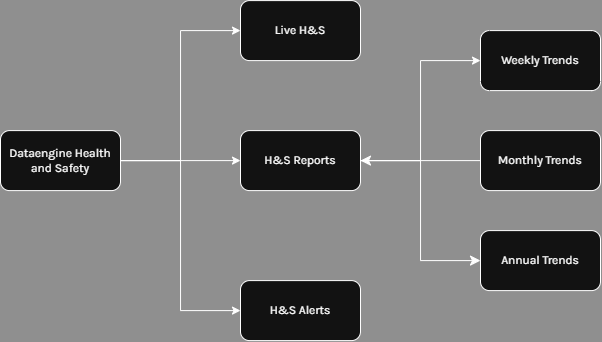
In the H&S module, there are 3 different tabs: Live H&S, H&S Reports, and H&S Alerts.
- Live H&S is the primary live interface providing access to alarms, trends, and visualisations.
- H&S Reports focuses on detailed analytics and deeper insight into trends and patterns.
- H&S Alerts is the view into real-time alerts and analytic server output.
Live H&S
Access the most critical information such as recent events alarm by rules, and other critical information such as PPE compliance vs non Compliance
For more information head to the Data Engine H&S: Live H&S.
H&S Reports
Detailed and deep analysis into weekly, monthly, and annual trends.
For more information head to Data Engine H&S: H&S Reports
H&S Alerts
Alerts provide a view into all alerts assigned to this organisation. There are a variety of filters available such as by device, searching, date range and more.
Rules & Rule Categories
Rules and Rule categories enable administrators to create more categories for comparison such as Kitchen compliance vs non compliance.
For more information head to Data Engine Configuration: Rules and Data Engine Configuration: Rule Categories.