
Data Engine H&S: H&S Beginner's Guide
Introduction
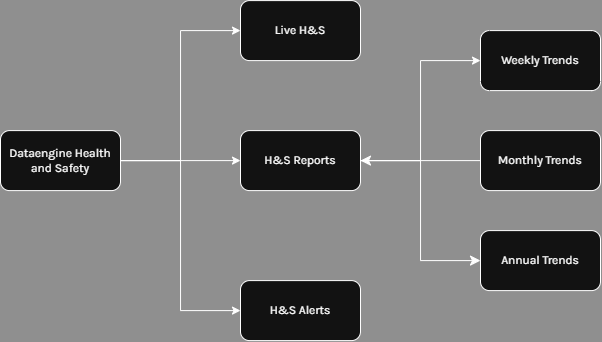
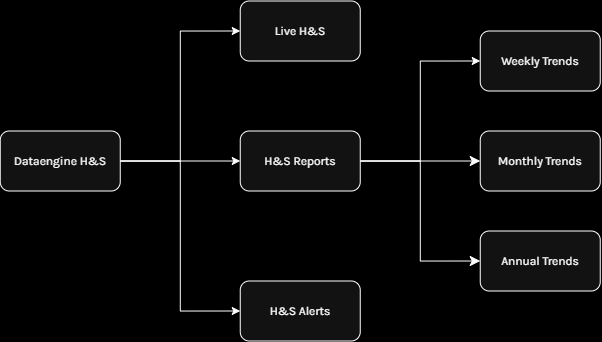
In the H&S module, there are 3 different tabs: Live H&S, H&S Reports, and H&S Alerts.
- Live H&S
isofferstheanprimary liveinteractive interface providing access to alarms, trends, and visualisations. - H&S Reports
focusesoffersonandetailedanalyticalanalyticshubandprovidingdeeperaccessinsighttointocomprehensivetrendsanalytics, trends, and patterns. - H&S Alerts
isoffersthe view intoa real-timealertsfeedandprovidinganalyticaccessservertooutput.live system events.
Live H&S
Access the most critical informationH&S suchInsights, asinclufing rule-based alarms, recent events alarm by rules, and other critical information such asevents, PPE compliance vsand nonPPE Compliancenon-compliance, trends, and visualisations.
For more information head to thesee Data Engine H&S: Live H&S.
H&S Reports
DetailedAccess and deepdetailed analysis intoof weekly, monthly, and annual trends.H&S trends using a variety of visualisations.
For more information head tosee Data Engine H&S: H&S Reports
H&S Alerts
Alerts provide a view into allAccess alerts assigned to thisan organisation.organisation, Therewith arefiltering aand varietysorting ofoptions filters available such as byincluding device, searching,date, datemanual rangesearch, and more.
For more information see Data Engine H&S: H&S Alerts
H&S Rules & Rule Categories
RulesEnable comparisons, reporting, and Ruleanalysis categoriesacross enableevents, administratorsincluding to create more categories for comparison such as KitchenPPE compliance vsversus nonnon-compliance compliance.and custom rule-based comparisons.
For more information headsee: