
Data Engine H&S: Live H&S
Introduction
Dataengine:Dataengine H&S: Live H&S is the mainprimary dashboardinterface available within the H&S module, providing access to filters, alarms by rule, trends, visualisations, compliance versus non-compliance metrics, and recent events.
The H&S dashboardThis enables administrators to compare compliance and non-compliance events through a range of visualisations, providing insight into event distributions and trends over time.
Example of Alarms by Rule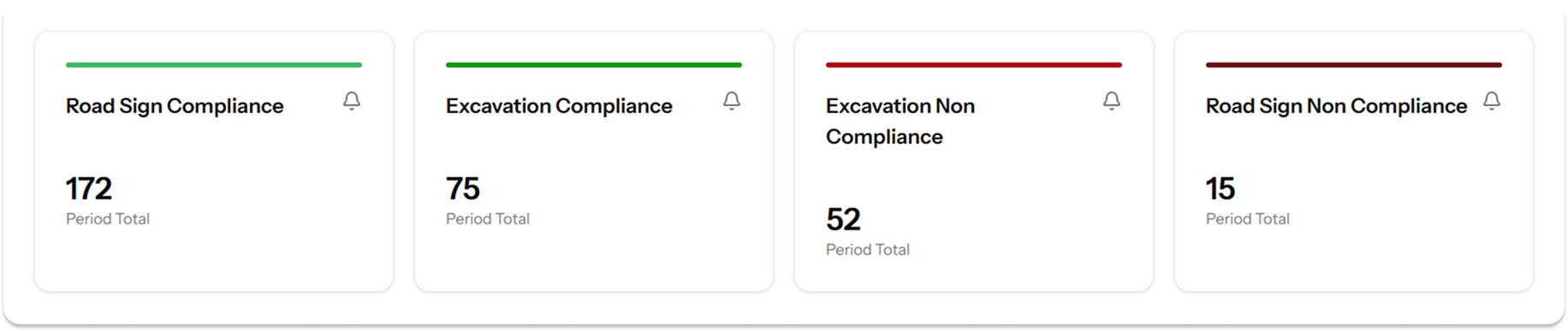
Visualisations
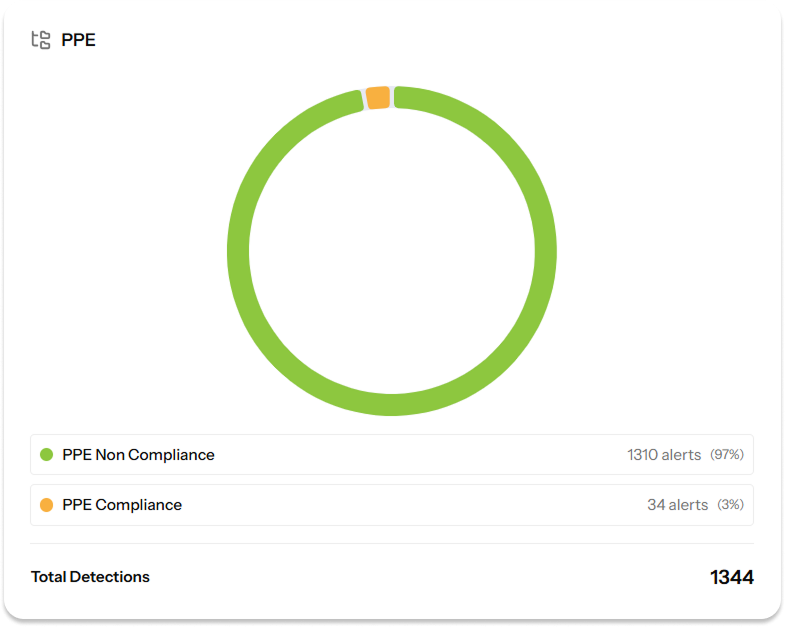
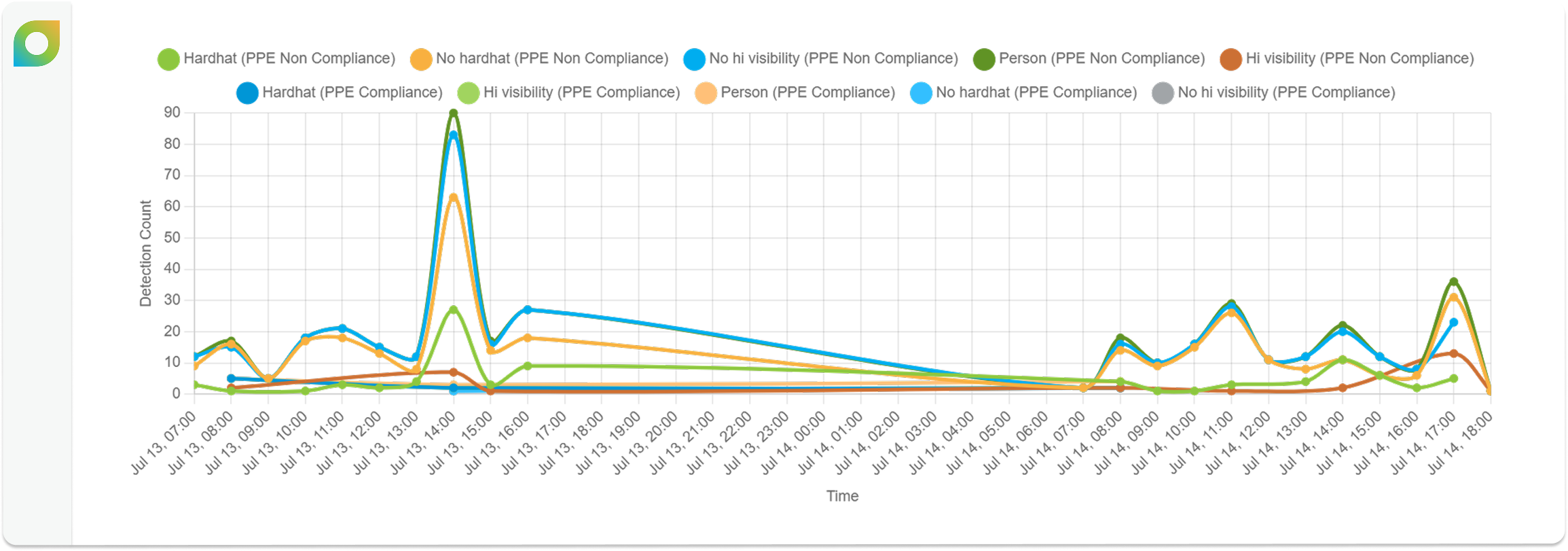
Dataengine:Dataengine H&S: Live H&S has a variety of visualisations accessible to users to help understand trends over different time periods, which can be defined using the filters. Primarily, the visualisations highlight PPE Compliance vs Non-PPE Non Compliance.
Additional visualisations can be created via Dataengine:Data ConfigurationEngine Configuration: Rules and Data Engine Configuration: Rule Categories such as Road Sign Compliance.
- PPE
Non-Non Compliance refers to a user that is detected not wearing appropriate PPE. - PPE Compliance refers to a user that is detected wearing appropriate PPE.
Example of PPE Compliance vs PPE Non-Compliance distribution
Example of PPE Detection Trends
Events
Events displays the alerts generated by the analytics server, allowing users to analyse the output of the configured analytics.
AsPrimarily Eluviant (formerly known as IntelexVision) is our primary H&S analytics provider, alertsthere are assigned one of six priority levels:
Clicking on an event opens a side pane containing the associated video, image, and additional event information.